
With this tutorial you’ll have a new blog theme ready in only three steps.In fact there are a few ways setup a new theme for your blog but we will be focusing on manual WordPress theme installation. This tutorial assumes you already have WordPress installed on your host and you are installing a “normal” theme with no advanced functionality that would require additional plugins or configuration.
Step 1: Download the theme
Download the theme. Just search for free Wordpress themes or similar phrases and look for a template that will fit your needs. Once you find a WP template that you like, preview it to see if all is ok and imagine how it shall look like on your website/blog.For this tutorial we’ll choose the Barthelme theme. Click the download link and save the .zip file to your hard drive.
Step 2: Upload the theme directory to WordPress
You need to upload the complete folder of your template to your Wordpress installation - into the following folder: yourwebsite.com/wp-content/themes.
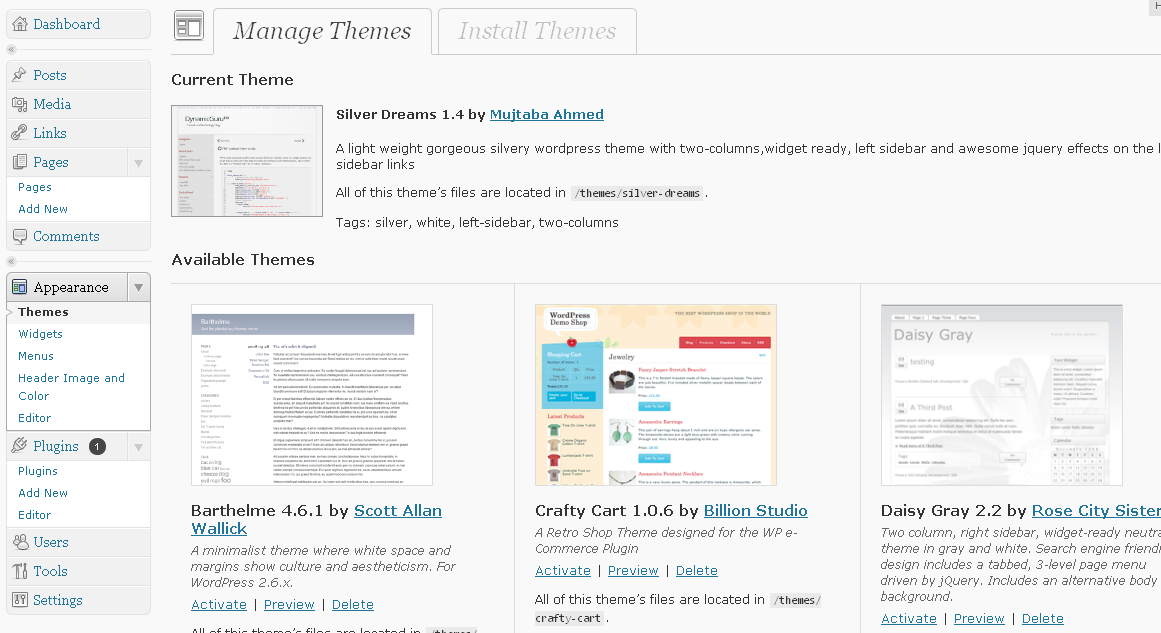
The best way to do this is to upload the files via your Dashboard.First you need to go to Appearance->Themes and select Install Themes:
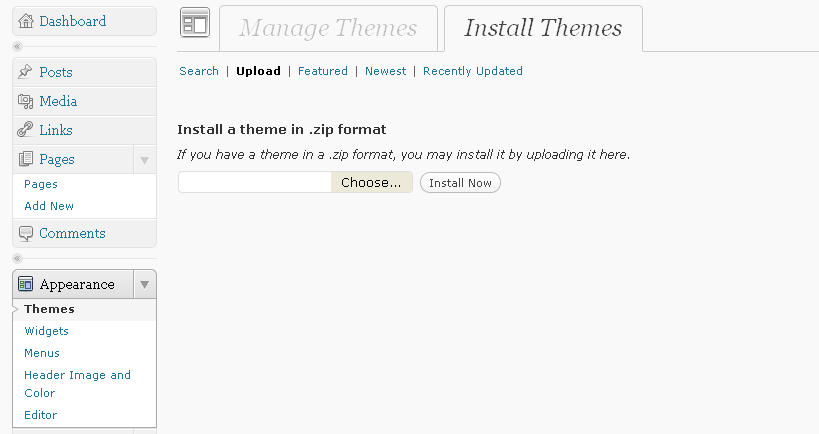
Next step is to select and install the downloaded theme from your computer.To do this you need to select Choose and after you select the theme press Install:
Step 3: Activate the theme within your WordPress admin panel
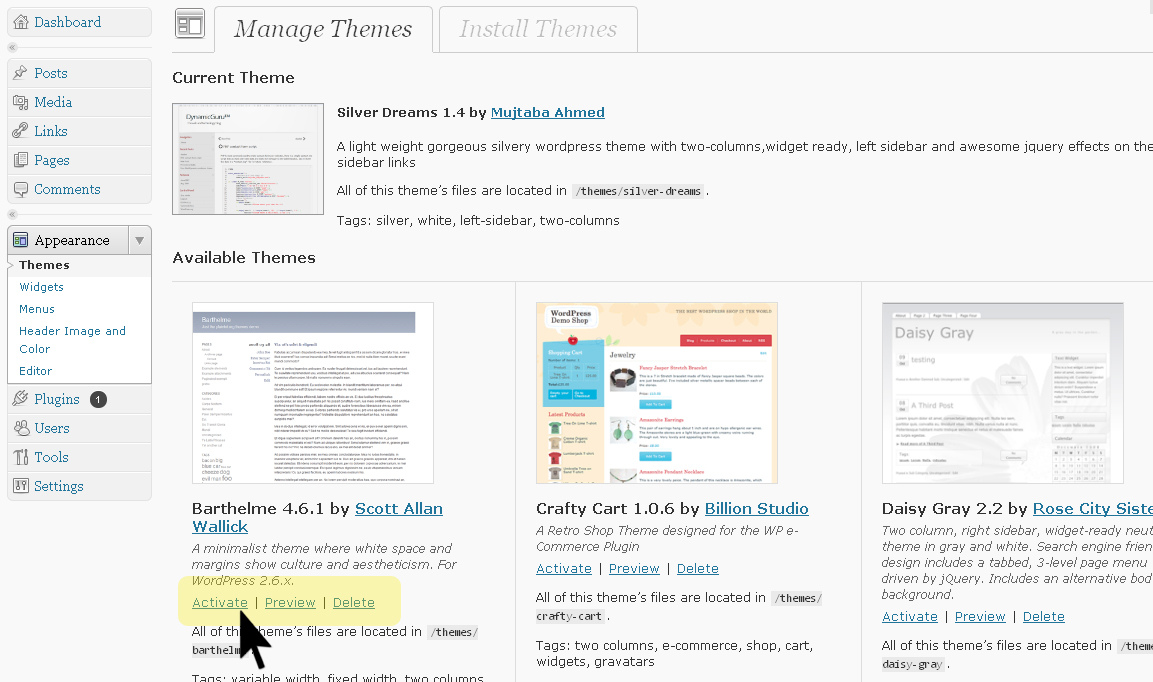
Now that the files are uploaded, you just need to activate the template. To do this simply go to your Appearance->Themes and just click Activate on the bottom of your new theme like in the image below:
Now when you refresh your website, it should load with the new Wordpress theme and if you need some customization for your theme, you are free to do some.
 WinWinHost news

 Contact Us!
 (818) 903-2338